Control and review users in a G Suite domain: Google Vault

In an educational centre, it is important to know what students do with digital tools. In a previous post, I explained the audit options available from the domain management console. But sometimes we need something else. Can we see what emails sends a user? Can we see files they haven’t shared with anyone? Administrators can do it with Google Vault. In this article we will see some functionality, but it is not intended to be an exhaustive description of the tool.

Continue reading «Control and review users in a G Suite domain: Google Vault»

The Chromebooks license

Just as tablets appeared a few years ago and spread in many schools, it now seems clear that it is the turn of the Chromebooks. I have been using them for two years and, as I have said on more than one occasion, I am very happy and, for the time being, I am not changing them.

When you start working with Chromebooks, one of the first doubts that comes up is the issue of licensing. Google offers free G Suite for education, but Chromebooks licenses must be paid for. Each one is worth 23 € + VAT (28 US$ + VAT) and is valid for the entire life of the computer. You only pay once. Is it worth paying for? Without the license, can’t we still work? In this article I explain my experience and recommendations.

Continue reading «The Chromebooks license»

Why don’t I use Google Drive Team Drives for the moment?

A few weeks ago, Google added the Team Units to the Drive. The truth is that they looked very good and I immediately tried them. After all this testing time, I have decided not to use them in the centre. In this article I explain the reasons.
Continue reading «Why don’t I use Google Drive Team Drives for the moment?»

G Suite Administration Console (2): Audits

Continuing with the series of articles on the Google apps for education admin console, today I review a very useful option that, because of the questions I receive, is not very well known. It’s about audits. The console lets you know what’s going on in many ways, always keeping your data private. Where’s a drive file? How many users have opened it? Who deleted an event from the shared calendar? And a lot of other things.
Continue reading «G Suite Administration Console (2): Audits»

G Suite Administration Console (1): Application presentation and installation

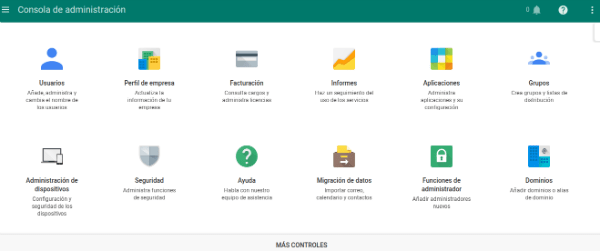
Following some queries I’ve received in the last few weeks, I start a series of articles by talking about the administration console of a Google apps for education. The truth is that it has a lot of possibilities and is worth investigating. I won’t do a complete tutorial because it would be endless and Google documentation is already quite good. I will only highlight a few aspects that I find particularly interesting and which, in some cases, are a little hidden.

Continue reading «G Suite Administration Console (1): Application presentation and installation»