The Middle Path

The truth is, I must be getting older, and I find it increasingly difficult to align myself with one side or the other. And I know this goes against the grain of a society that’s becoming ever more polarized.

If you’re a football fan, the rival team is always worse and always gets extra help. If you belong to a political party, you can’t say anything about your own party’s corruption, and instead you must always criticize the other one, even when it makes coherent and reasonable proposals.

Continue reading “The Middle Path”
Using Language tool in spreadsheets

Spell checkers have evolved a lot, and I think one that works very well is Language Tool.

It is an extension that is installed in the browser and, from then on, it warns you of spelling and grammatical errors in almost all the texts you write in your browser: documents, presentations, blogs, etc. If you do not have it installed, you can do so at this link.

But it does not work on spreadsheets. It does not recognize the cells of spreadsheets as text, and this means that it does not mark the errors. In the educational field (and also in the business field), this is a major limitation, since we use spreadsheets a lot: to make notebooks to monitor the progress of students, end-of-term bulletins, school organization, etc.

Continue reading “Using Language tool in spreadsheets”

Removing line breaks in documents or spreadsheets

It’s been a while since I’ve made a post with a technical trick. I always doubt if people will know them and it will look like I’ve discovered garlic soup. In any case, if you already know it, just skip the post and that’s it.

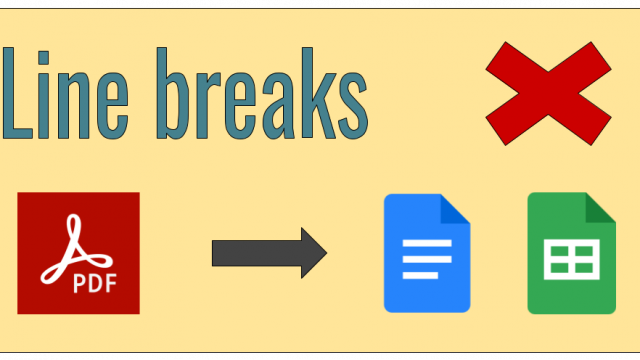
This summer I have been copying a few competences from the decrees of the new curriculum to make the new version of the qViC. The decrees are published in PDF and of course, when copying and pasting them into a spreadsheet or text document, line breaks appear.

Continue reading “Removing line breaks in documents or spreadsheets”

New functionality in CoRubrics: checklists (BETA)

I have just published a new feature for CoRubrics in BETA phase: checklists. Assessing with rubrics, especially co-assessing and self-assessing, is very interesting, but it is certainly complicated. It is not easy to design a good rubric and have students make it their own.

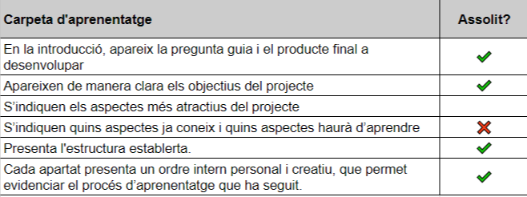
Sometimes, another assessment tool can be used, such as checklists: a list of aspects or criteria that learners should consider when performing a task, and where they should indicate whether they have achieved them or not. Here is a simple example of an excerpt from a checklist for assessing a portfolio.

Continue reading “New functionality in CoRubrics: checklists (BETA)”

Using GAS to create web applications (3rd and last part)

With this article, I finish the trilogy on web apps with Google apps script. In the first article we saw what they were and what we could develop. In the second, we saw the process of creating a specific web app. In this third one, we will see how we can make a web app that has several html pages.

As we said in the second article, only the doGet function can return html. In fact, when the URL of the application is accessed, the doGet function is executed, which is the one that returns the html. This html usually has a button that calls another function that saves data or triggers actions. But what if we want the application to have more than one screen? How do we do it with a single doGet function?

Continue reading “Using GAS to create web applications (3rd and last part)”